
Portal Guide
How to use the client portal
Short animations of every step, from signing in without a password to finding last year's return.
Everything in the portal, with short animations you can play. The people and documents in these recordings are invented; every screen and label is the real thing. Press Play on any picture to watch it run.
The portal works on your phone and your computer. Nothing here costs anything extra.
Signing in
There is no password to remember. Enter your email and I send you a short code, or use Face ID or Touch ID after your first sign-in. If you file jointly, your spouse can sign in too, with their own email address.
The tour
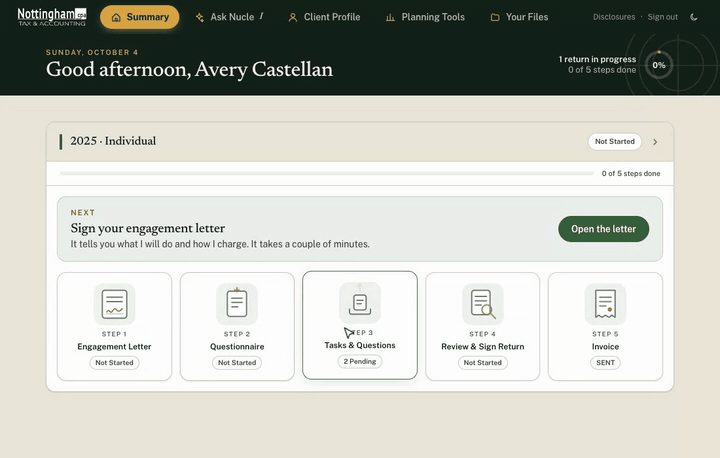
Start on your summary page
Each return you have with me shows as five steps: the engagement letter, a questionnaire, your list of documents and questions, review and signing, and the invoice. The card at the top tells you the one thing to do next.
Open the animation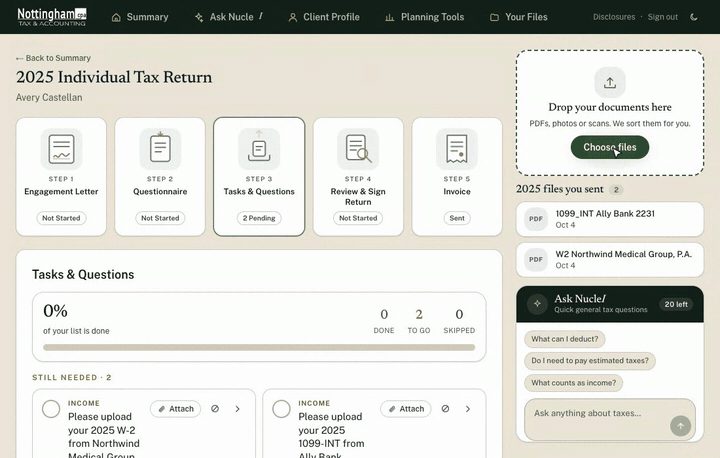
Send me your documents
Drop a file into the box on the right of any return, or tap Choose files. PDFs, photos and scans all work, and a phone picture of a document is fine. Please upload here rather than emailing documents; it keeps the year in one place and is safer.
Open the animation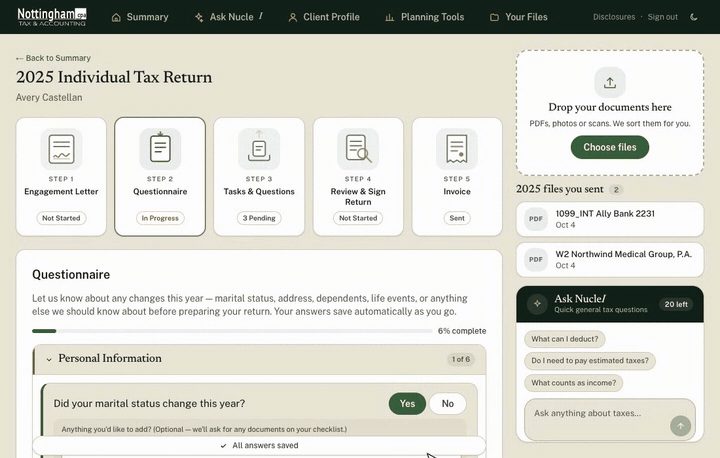
Answer the questionnaire once
It asks about life changes that affect your return, and only what applies to you. Your answers save as you go, and last year's answers are a starting point you do not have to retype.
Open the animation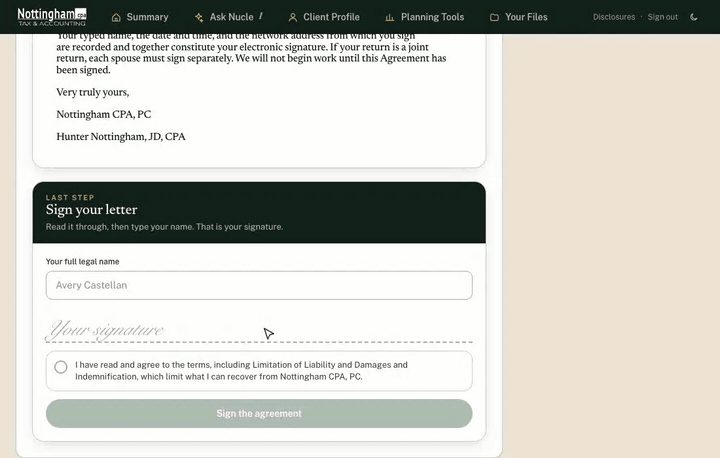
Sign your engagement letter
Before I start, I need your engagement letter signed. Read it, type your name, tick the box to agree, and sign. On a joint return the letter takes one signature, and you can download your signed copy at any time.
Open the animation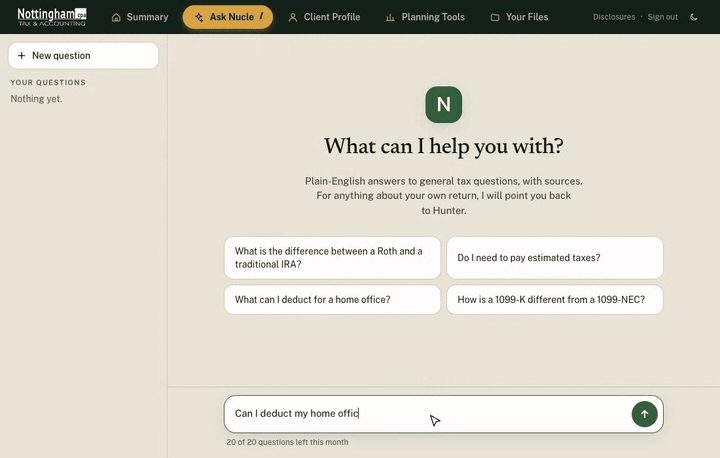
Ask NucleI a question
NucleI is the assistant in the portal. Ask a general tax question in plain English and it answers with sources. It does not know the details of your return and is not a substitute for me; anything that affects what you file, ask me. The answer in this recording is a sample.
Open the animation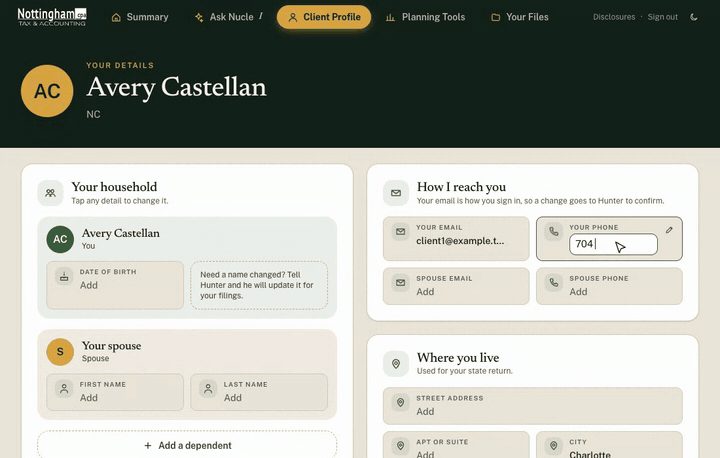
Keep your details current
Your profile has your household, contact details and address as tiles. Tap any one to change it. Your sign-in email is the one thing I confirm myself, because it is how the portal knows it is you.
Open the animation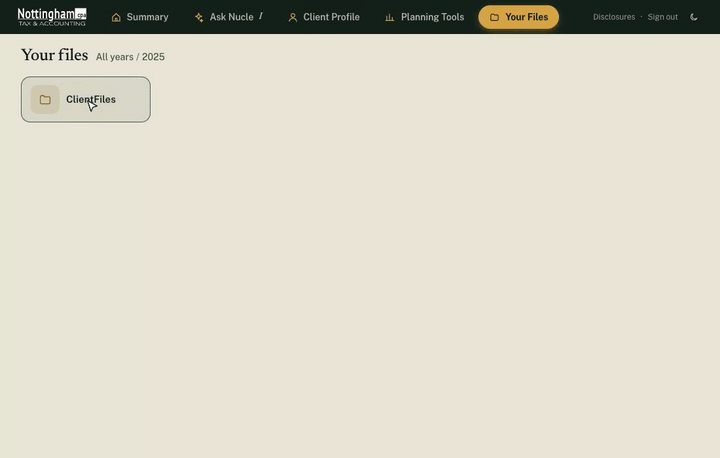
Your files, whenever you need them
Everything is organized by tax year. Open a year, open a file to look at it, or select several and download them together. Your finished returns appear here too.
Open the animationI will never ask you to send a Social Security number, a bank account number or a password by email, and neither should you. Upload documents in the portal, and keep your sign-in code to yourself. It only works once and only for a short time.
Questions
If something does not work or is confusing, send me a note and tell me which step. I would much rather hear it than have you struggle.
Let’s talk
Start with a conversation.
Tell me what's going on and I'll tell you plainly whether you need me.
Schedule a Conversation